![]() PayFlex | VIB
PayFlex | VIB
![]() Banner top
Banner top
PayFlex Introduction
PayFlex allows cardholders to flexibly use funds from their credit or debit card to pay for goods and services when making transactions using “Transaction Card” registered with PayFlex
One for all
A single payment credential (or Card) to access multiple funding sources
Flexible
Cardholders can select a preferred payment method immediately before purchase, or use Smart Rules to define funding source prior to purchase
Fast and secure process
Transaction routing leverages the speed and security of VisaNet
Easily register and set up PayFlex transactions
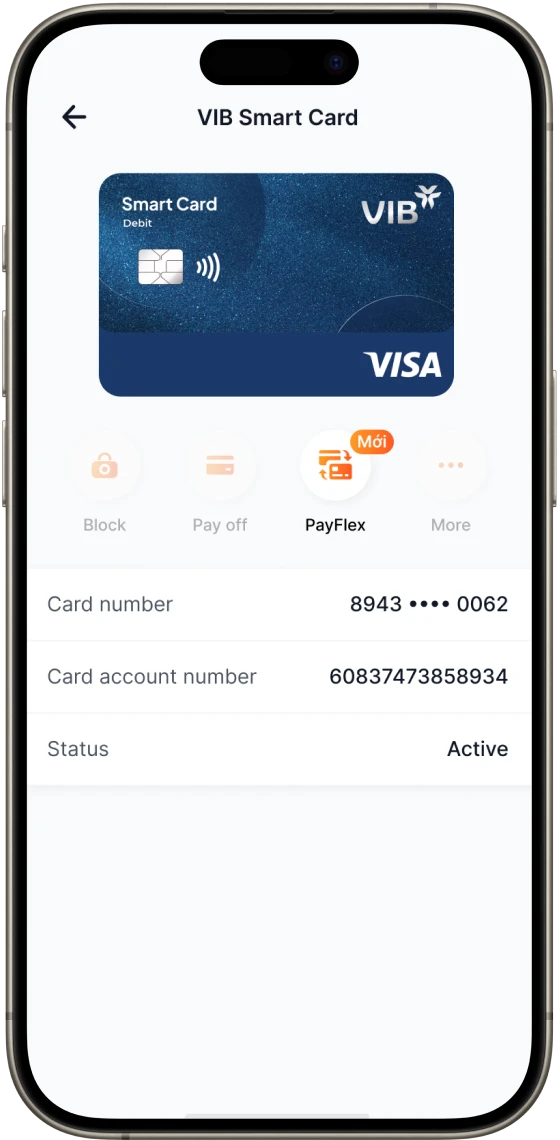
Step 1:
Select PayFlex in the Debit Card Details
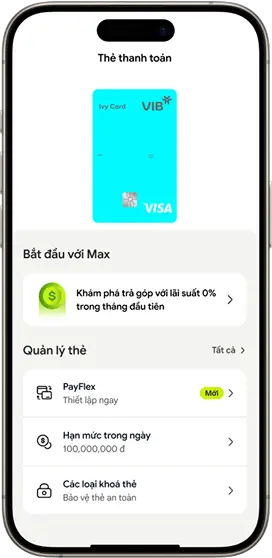
Step 1:
Select PayFlex in Debit Card Details
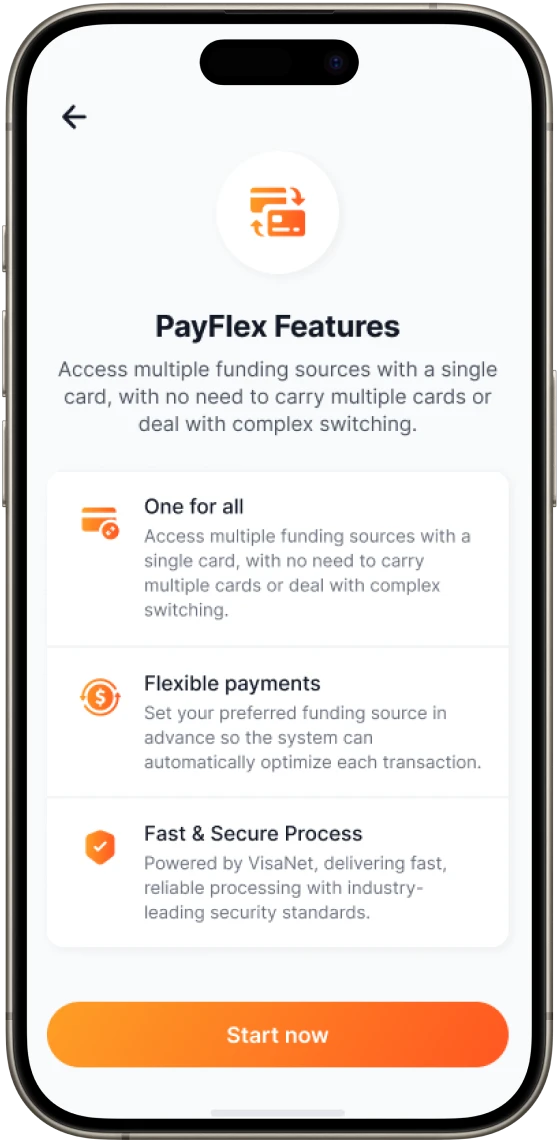
Step 2:
Select Start Now
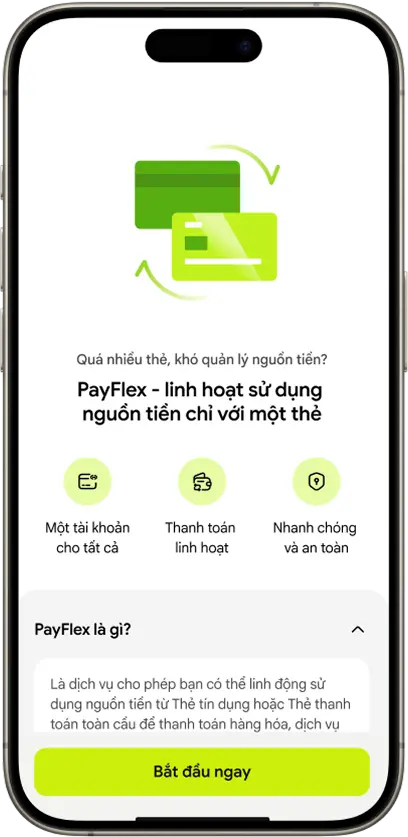
Step 2:
Select Bắt đầu ngay
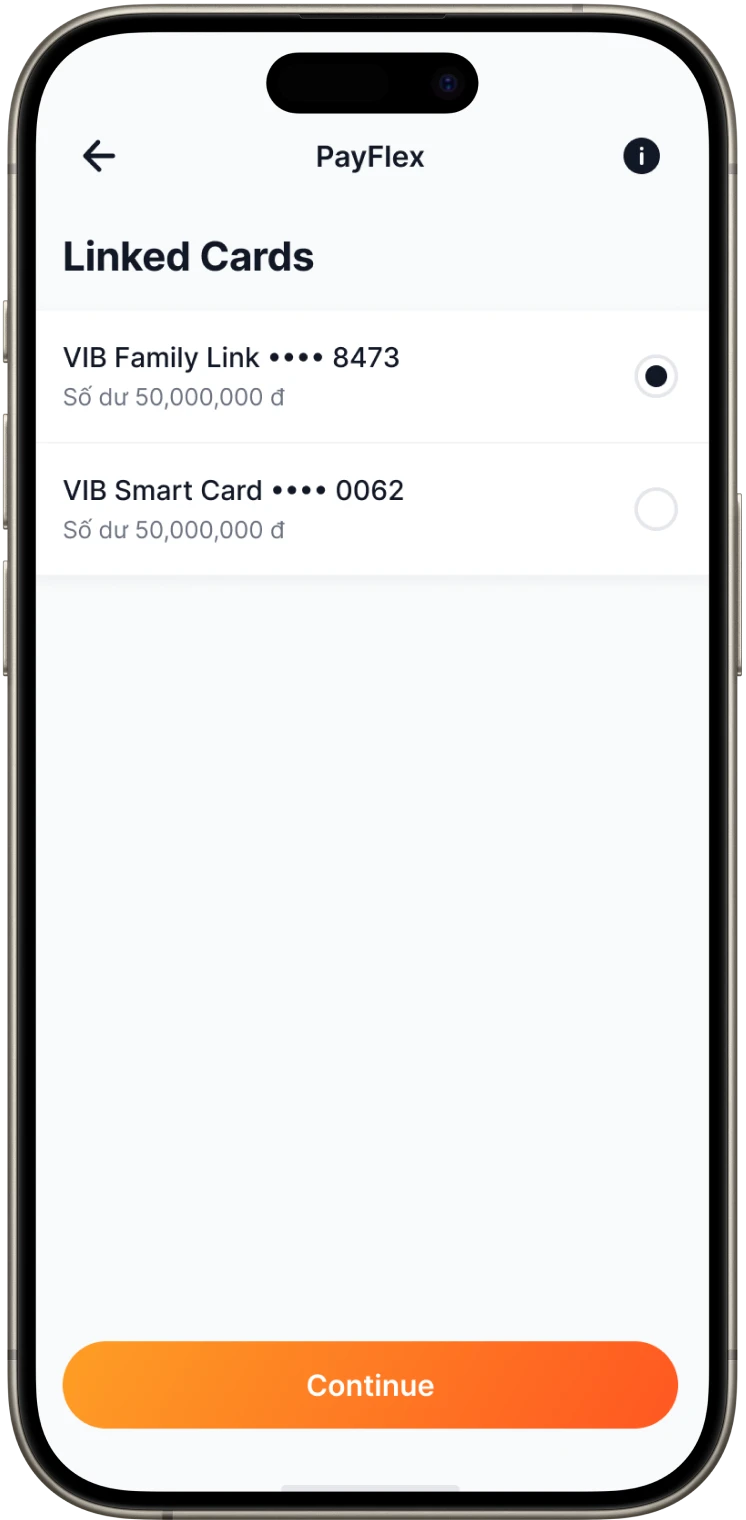
Step 3:
Select the linked card
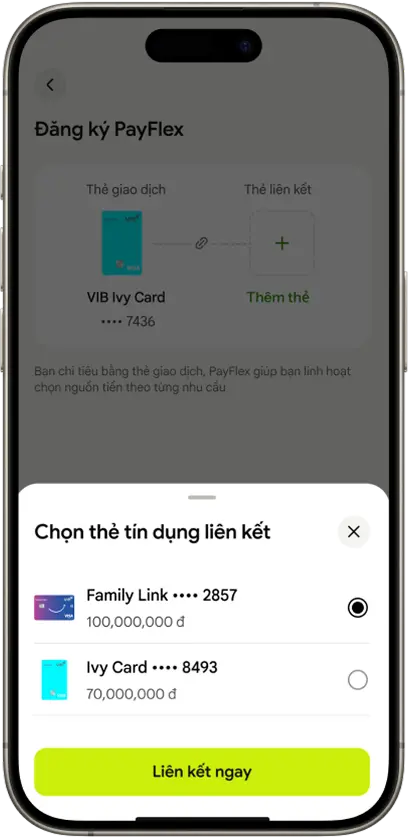
Step 3:
Select the linked card
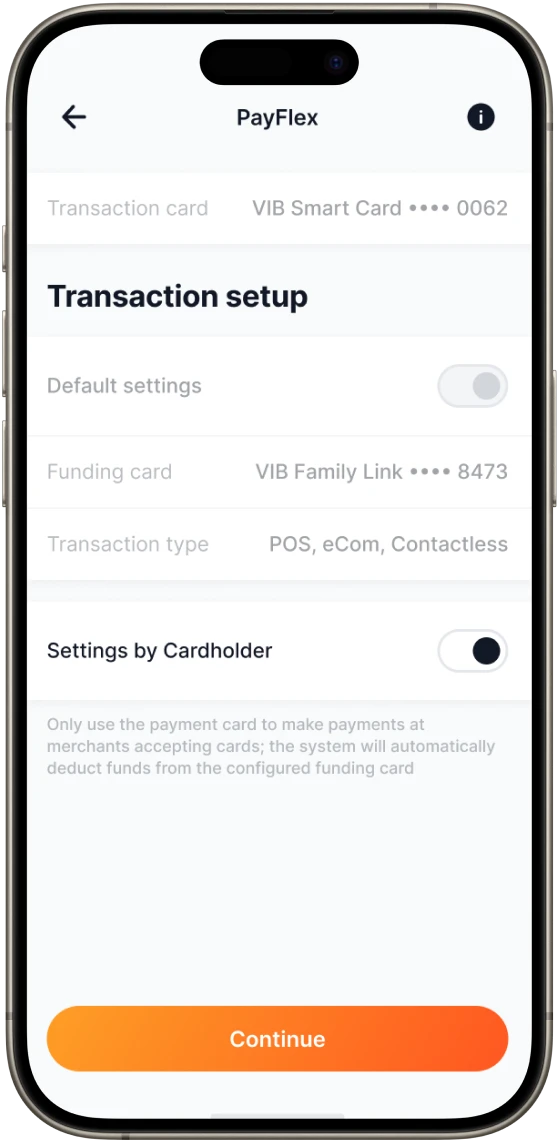
Step 4:
Enable Settings configured by the cardholder to set funding source

Step 4:
Set funding source
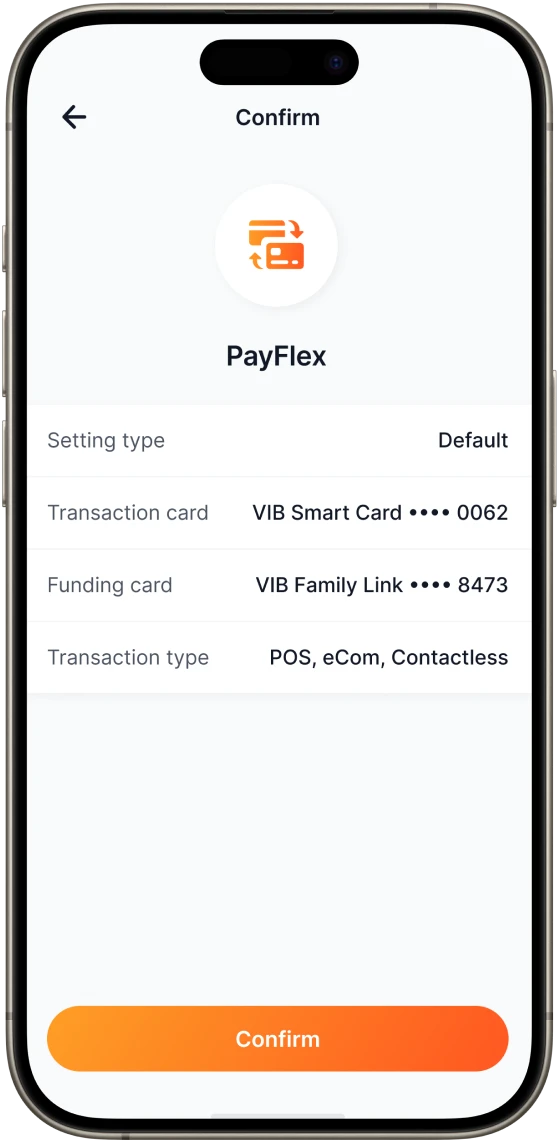
Step 5:
Confirm registration
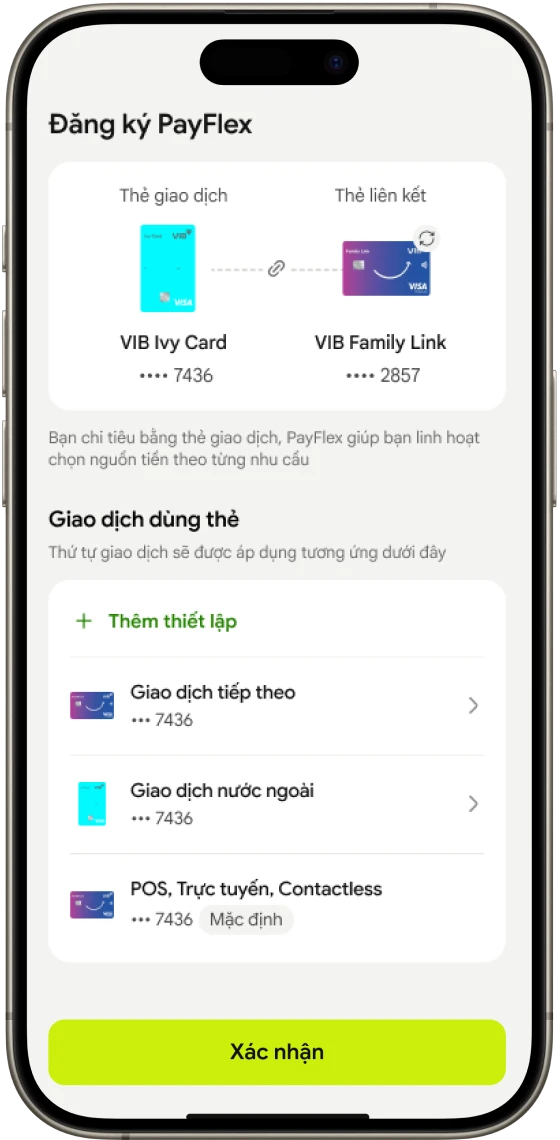
Step 5:
Confirm registration
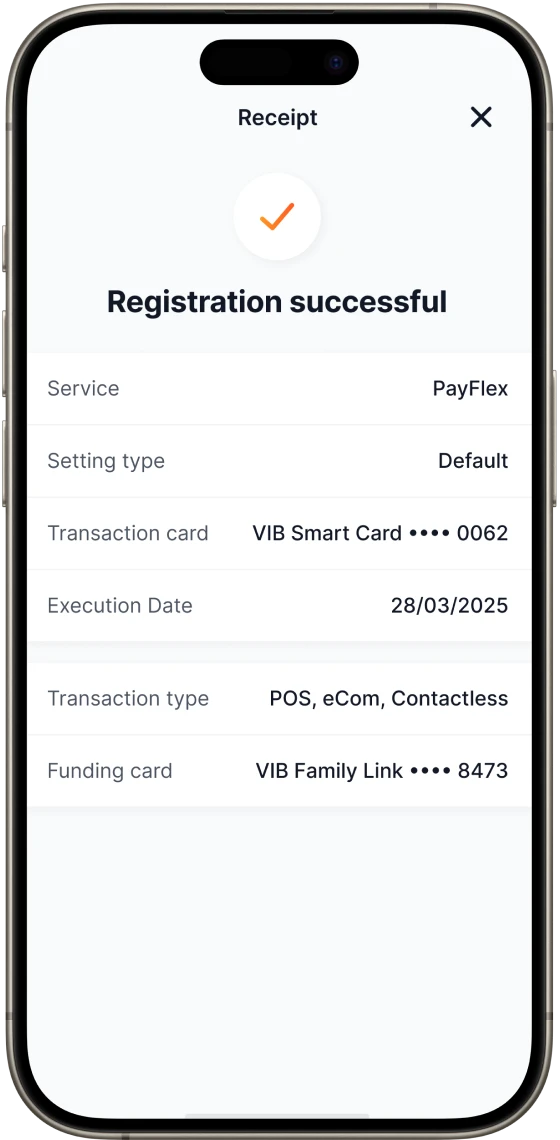
Step 6:
Registration completed
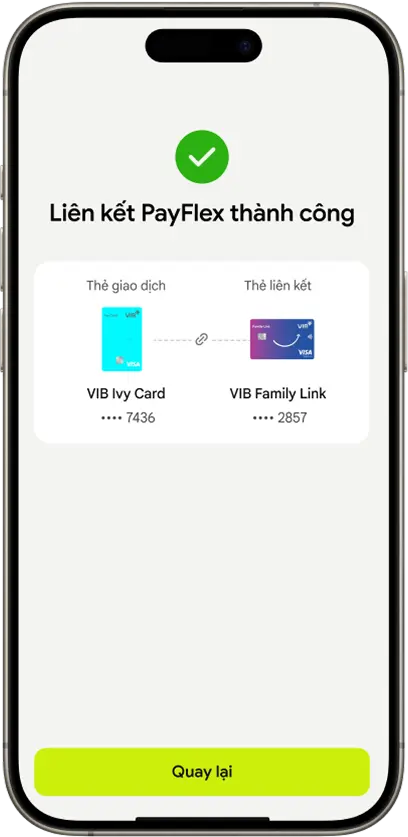
Step 6:
Registration completed
Other information
Terms and Conditions for using the PayFlex feature
Applicable card products: All VIB Visa credit cards & debit cards.
Learn more Terms and Conditions for using the PayFlex feature at here
Learn more List of Merchant Category Codes (MCC) at here
Don't have a card yet? Open your card right here
Service fee
Completely free