Z7_514612K01PFK406T2EAVMIRQ33
Z7_514612K01PFK406T2EAVMIRQJ6

PayFlex - All in one 

Flexible choice of funding source for card transactions

Z7_514612K01PFK406T2EAVMIRQJ3

PayFlex Introduction

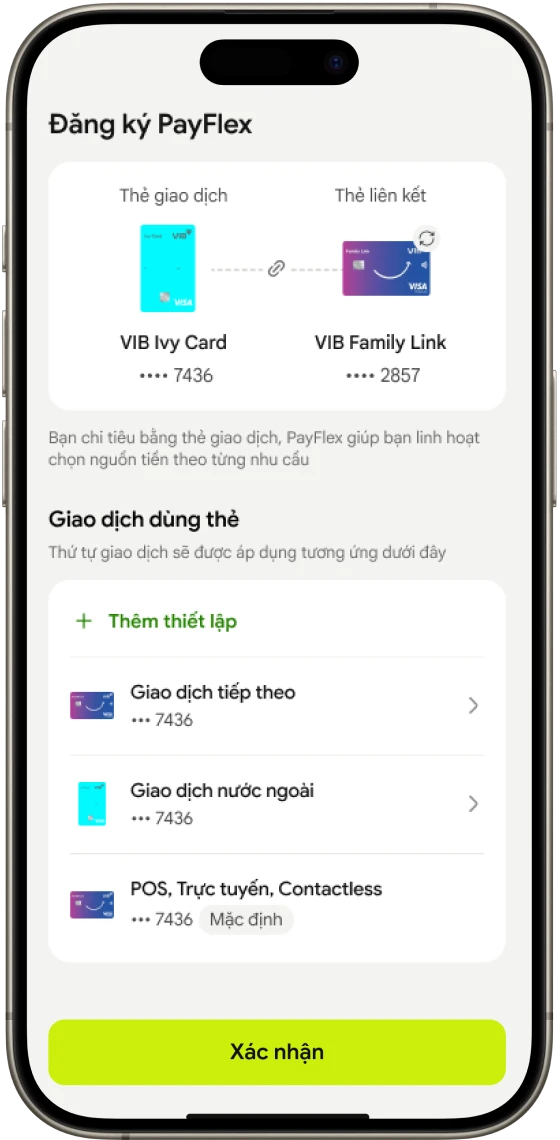
PayFlex allows cardholders to flexibly use funds from their credit or debit card to pay for goods and services when making transactions using “Transaction Card” registered with PayFlex

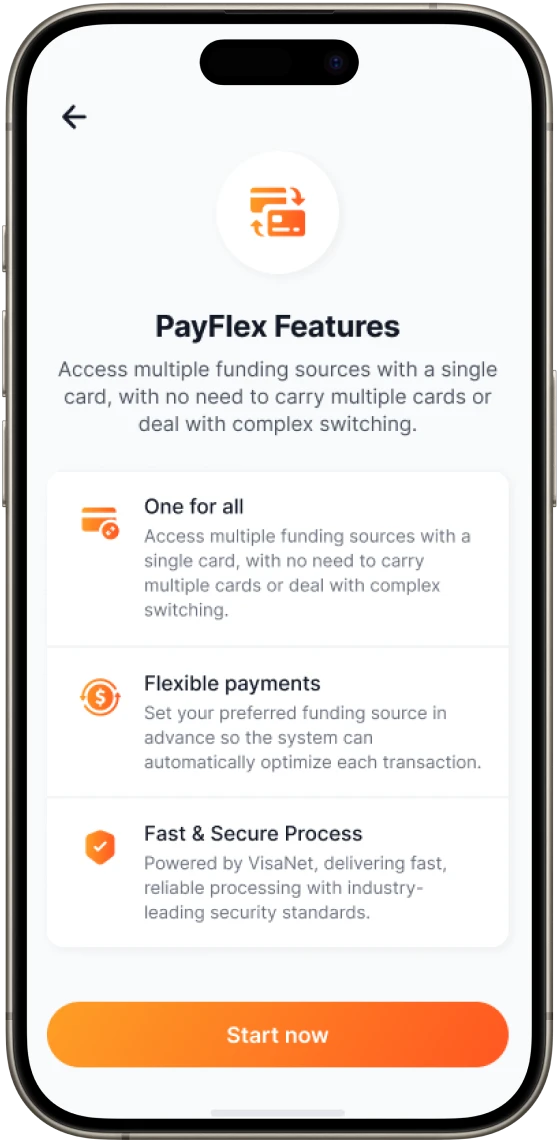
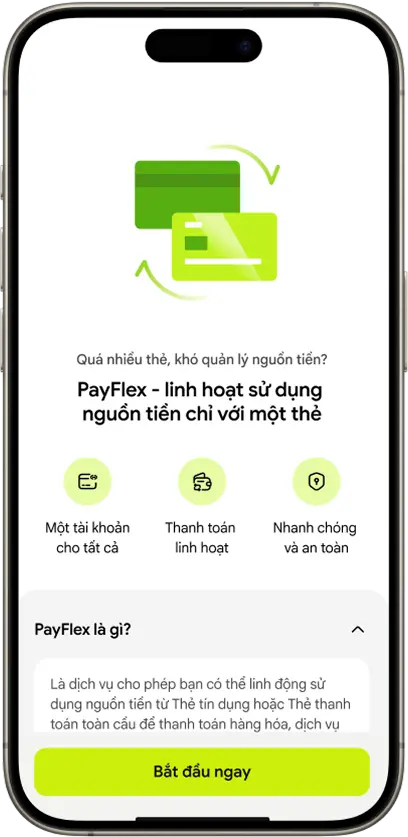
One for all

A single payment credential (or Card) to access multiple funding sources

Flexible

Cardholders can select a preferred payment method immediately before purchase, or use Smart Rules to define funding source prior to purchase

Fast and secure process

Transaction routing leverages the speed and security of VisaNet

Z7_514612K01PFK406T2EAVMIRQB4

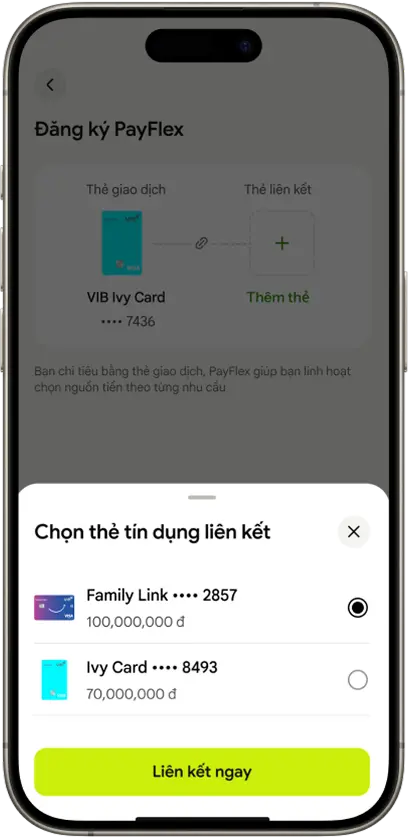
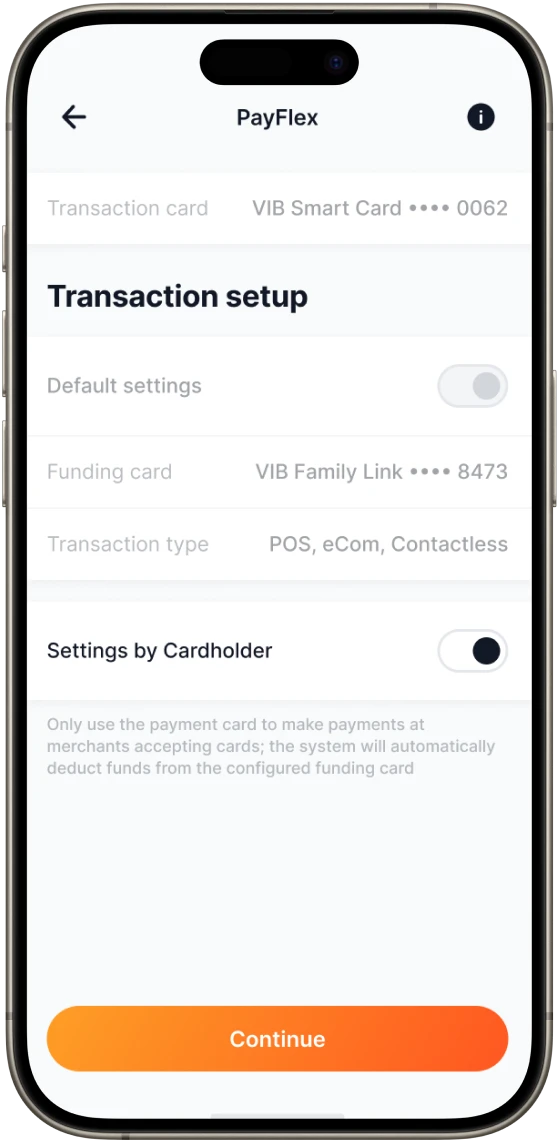
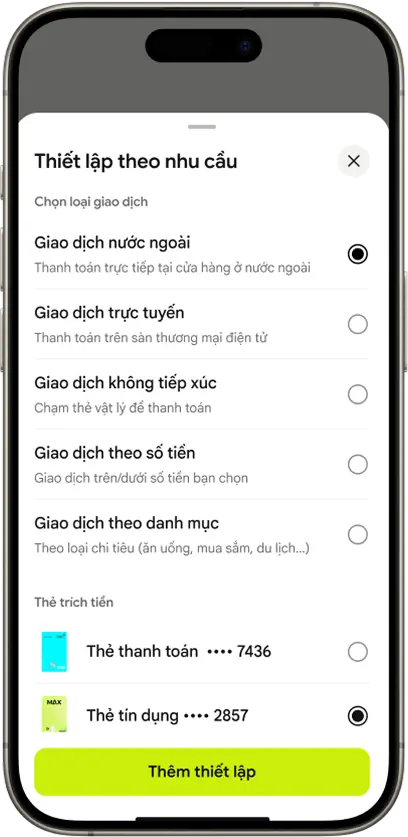
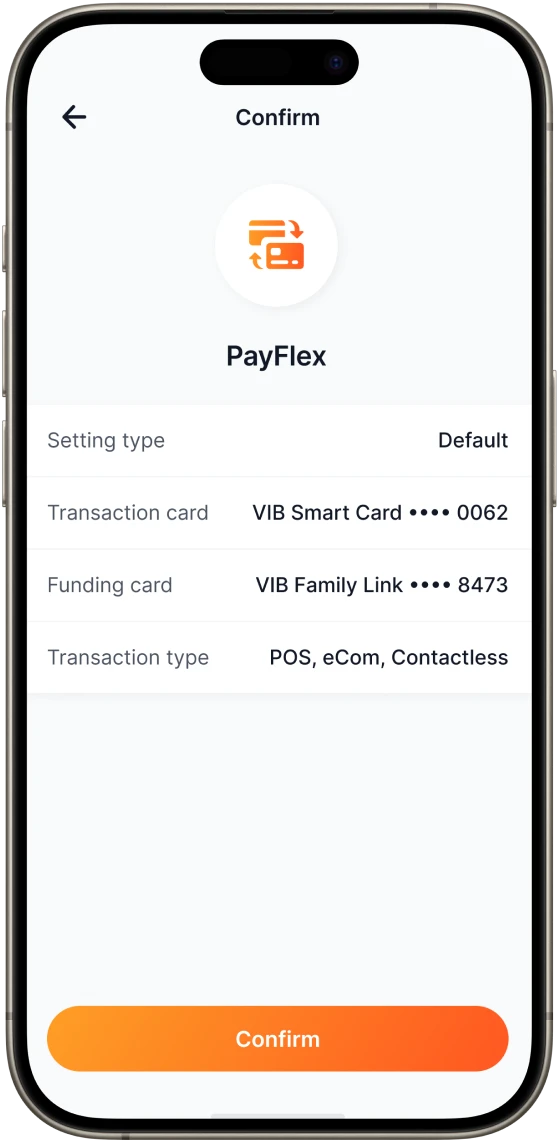
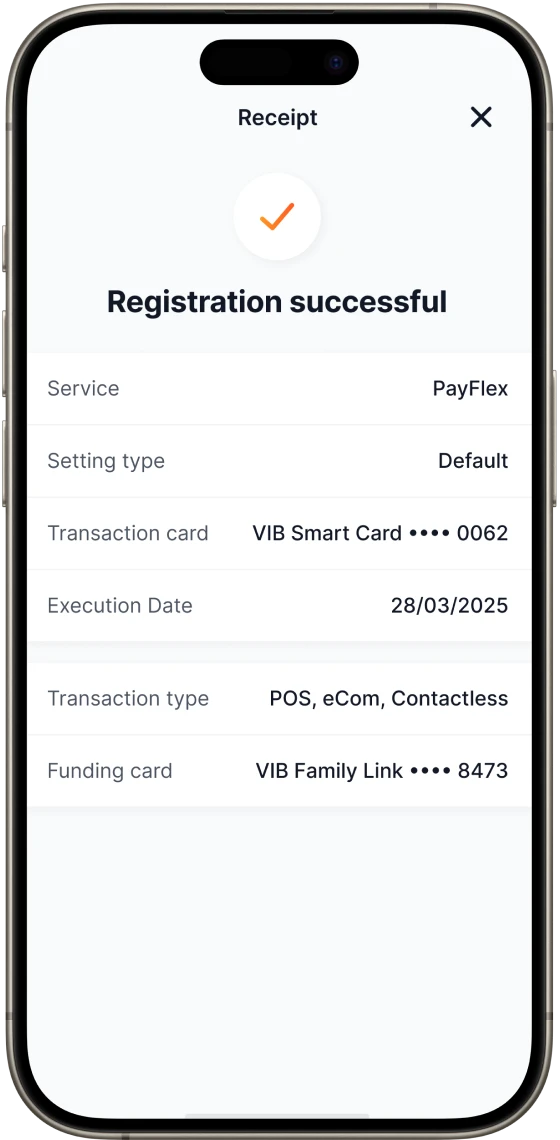
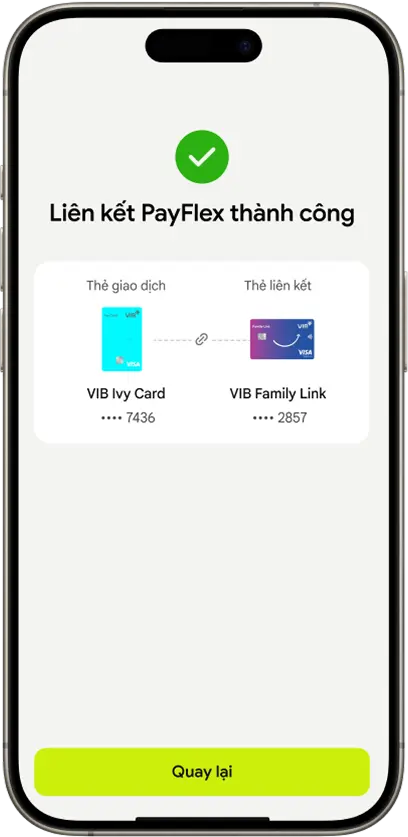
Easily register and set up PayFlex transactions
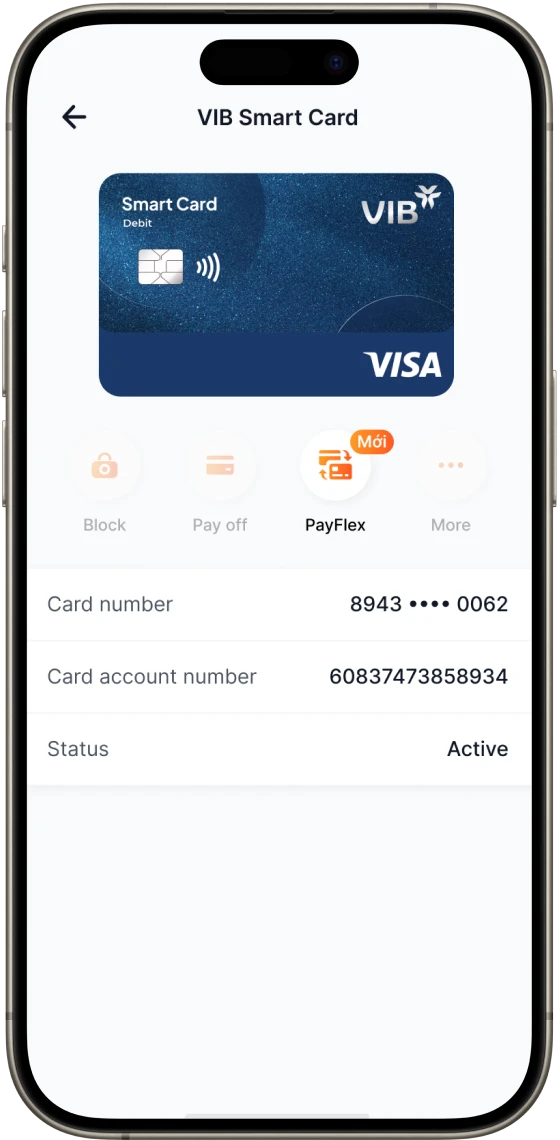
Step 1:

Step 1:

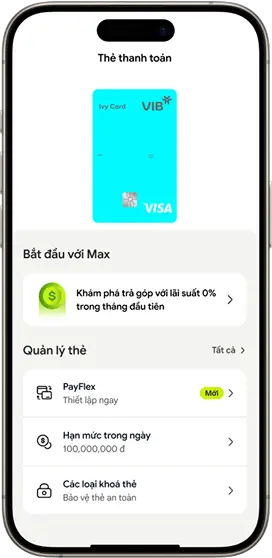
Select PayFlex

Step 2:

Step 2:

Turn on Setting by Cardholder

Step 3:

Step 3:

Select rule category

Step 4:

Step 4:

Assign fund sources and other conditions

Bước 5:

Bước 5:

Input OTP

Step 6:

Step 6:

Confirm information and finish

Learn how to use it:

  • View the file here
  • View the video here
Z7_514612K01PFK406T2EAVMIRQB1

Other information

Terms and Conditions for using the PayFlex feature

Applicable card products: All VIB Visa credit cards & debit cards.

Learn more Terms and Conditions for using the PayFlex feature at here

Learn more List of Merchant Category Codes (MCC) at here

Don't have a card yet? Open your card right here


Service fee

Completely free
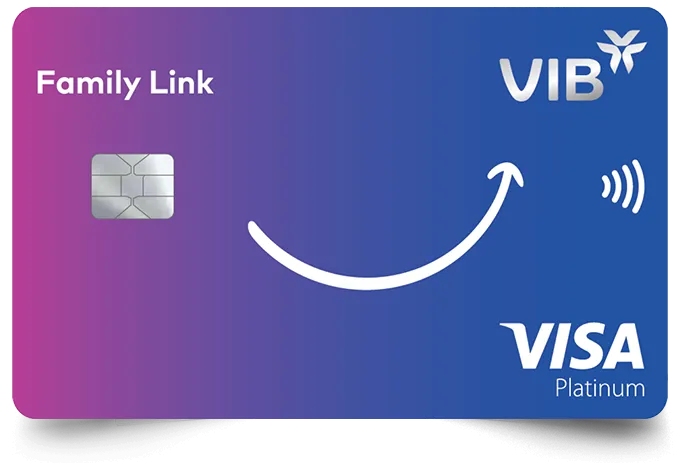
Z7_514612K01PFK406T2EAVMIRQR2

FAQs link

What is PayFlex?

This is a service that allows Cardholders to flexibly use funds from their credit or debit card to pay for goods and services when making transactions using “Transaction Card” registered with PayFlex

How does it work?

Cardholders can easily register for the PayFlex service on MyVIB and set up transactions from the funds of their credit or debit card before making payments for goods and services at point of sale

Why should you use PayFlex?

PayFlex provides Cardholders with a flexible, secure payment solution and accurately aligns with your financial planning goals for each transaction: 

  • Flexibly set up and choose transaction funds based on amount thresholds, oversea, Ecom, Contactless, next transaction, dates and times, etc. 
  • Use only “the transaction card” registered with PayFlex service to make transactions. 
  • Totally proactive in setting changes, managing funds in payments for goods and services according to spending needs.

Which card product is PayFlex applied to?

The PayFlex service is applicable to VIB's Visa-branded credit and debit cards

How to register for PayFlex services?

Cardholders can register for the PayFlex service in the Card Details section on the MyVIB app

What are “Transaction Card” and “Funding Card” credentials?

  • Transaction Card is a card which has been enrolled as a participating card into PayFlex service. The Transaction Card is used to initiate the transaction at point of sale. 
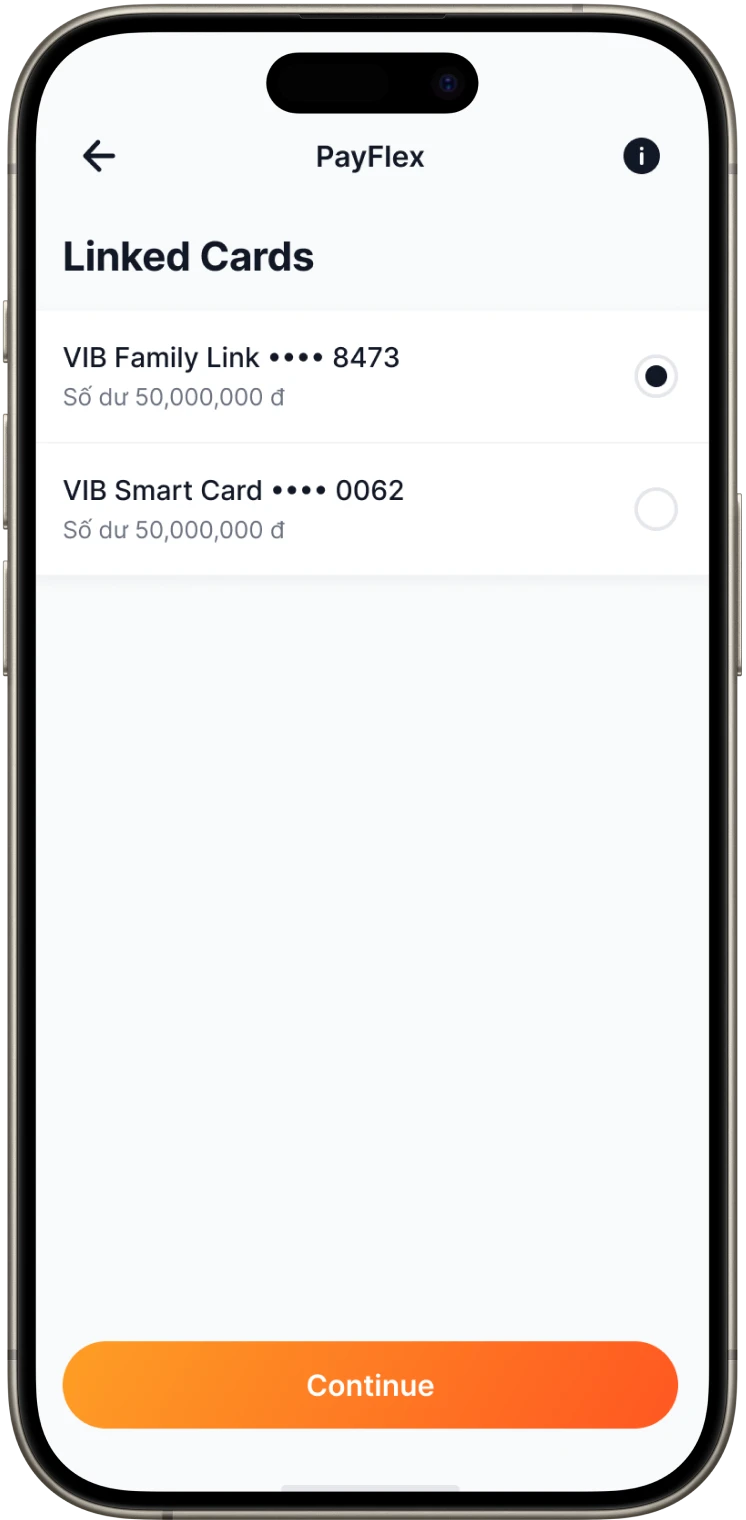
  • Funding Card is a Card that is eligible to fund transactions initiated by a Transaction Card when the cardholder has elected to fund the transaction using Funding Card for eligible transactions

How many card pairs can a cardholder register at one time?

At a given time, a cardholder can link 01 debit card with 01 credit card. If the cardholder has additional Visa debit cards, these cards can also be linked to the same credit card that has already been linked previously.

In which cases will a physical credit card not be issued when the cardholder registers for the PayFlex feature?

When a cardholder registers for the PayFlex feature, a physical credit card will not be issued for new card issuance, replacement, renewal, or change product requests.

Through which channels can the PayFlex Payment feature be registered?

Cardholders can register for the PayFlex feature when applying for a new credit card or debit card via online channels, or through the MyVIB and Max App applications under the Debit Card Details section.

What card types and conditions are applicable for using the PayFlex feature?

Applicable to valid Visa credit cards and Visa debit cards.

The card must be in active status (the card is not blocked due to expiration, suspected fraudulent or counterfeit transactions, etc.).

When replacing, renewing, or changing the card product, is it necessary to re-register for the PayFlex feature?

The PayFlex feature registration will be automatically updated to the new card when the cardholder requests card replacement, renewal, or card product conversion.

How to perform transactions on Card A but debit into Card B's account?

After registering for the PayFlex service, the Cardholder needs to set up smart rules by choosing Funding card to assign funding source for transaction based on rules such as amount thresholds, transaction type, transaction time, etc... through MyVIB

Can PayFlex transactions be set up based on the transaction amount or transaction type?

The Cardholder can set up PayFlex transactions in the following forms and priority order: 

  • Next transaction (*) 
  • Overseas transaction (**) 
  • Online transaction 
  • Contactless transaction 
  • Amount threshold 

(* ) The Cardholder can choose funding source to pay for the next transaction.
(**) Applies only to physical card transactions.

Which types of transactions can be conducted through PayFlex?

PayFlex transactions apply to ECOM/POS/Contactless transactions (Except for transactions through MyVIB (include QRCode), Ebank, cash withdrawal and transactions at merchants directly connected to VIB (Moca))

Which card will the PayFlex transaction be posted/debited on if the Cardholder does not set up smart rule?

The PayFlex transaction will be defaulted to be posted/debited into the credit card registered for PayFlex services if the Cardholder does not set up smart rule or the transaction does not meet to any conditions of smart rule that have been set by the Cardholder before the transaction time

Z7_514612K01PFK406T2EAVMIRQR5
Z7_514612K01PFK406T2EAVMIRQ70
Z7_514612K01PFK406T2EAVMIRQ71